Recording a data breach
Log every breach, and see if you need to tell the ICO within 72 hours.
Who can do this: Administrators
A breach is any time personal data is lost, seen by the wrong people or changed by mistake, such as an email sent to the wrong list or a lost register.
Step 1: Record it straight away
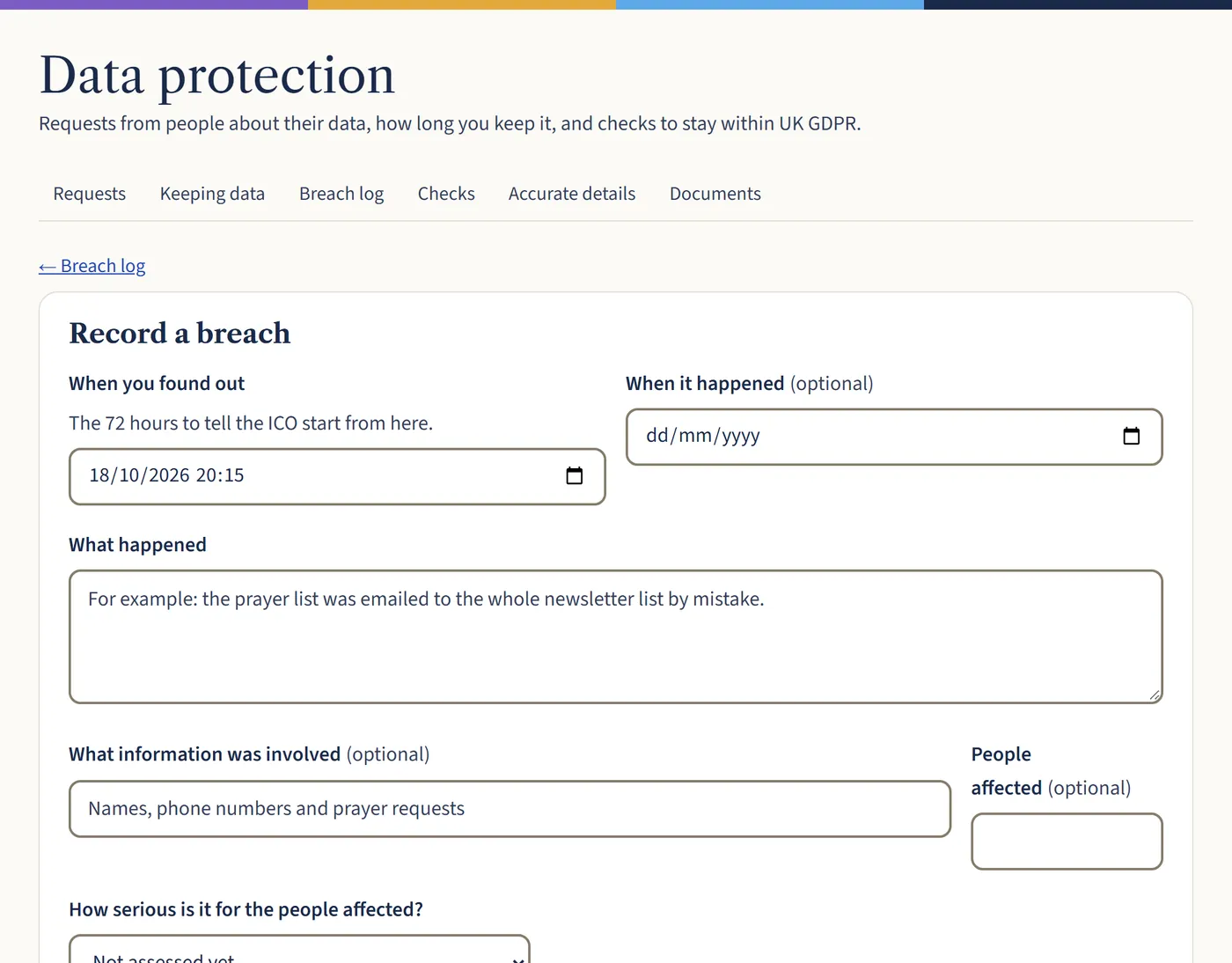
Go to Data protection, then Breach log, and choose Record a breach. Put in when you found out (the 72 hours start then), what happened, what information was involved and how many people.
Open a larger view (opens in a new tab) Step 2: Decide how serious it is
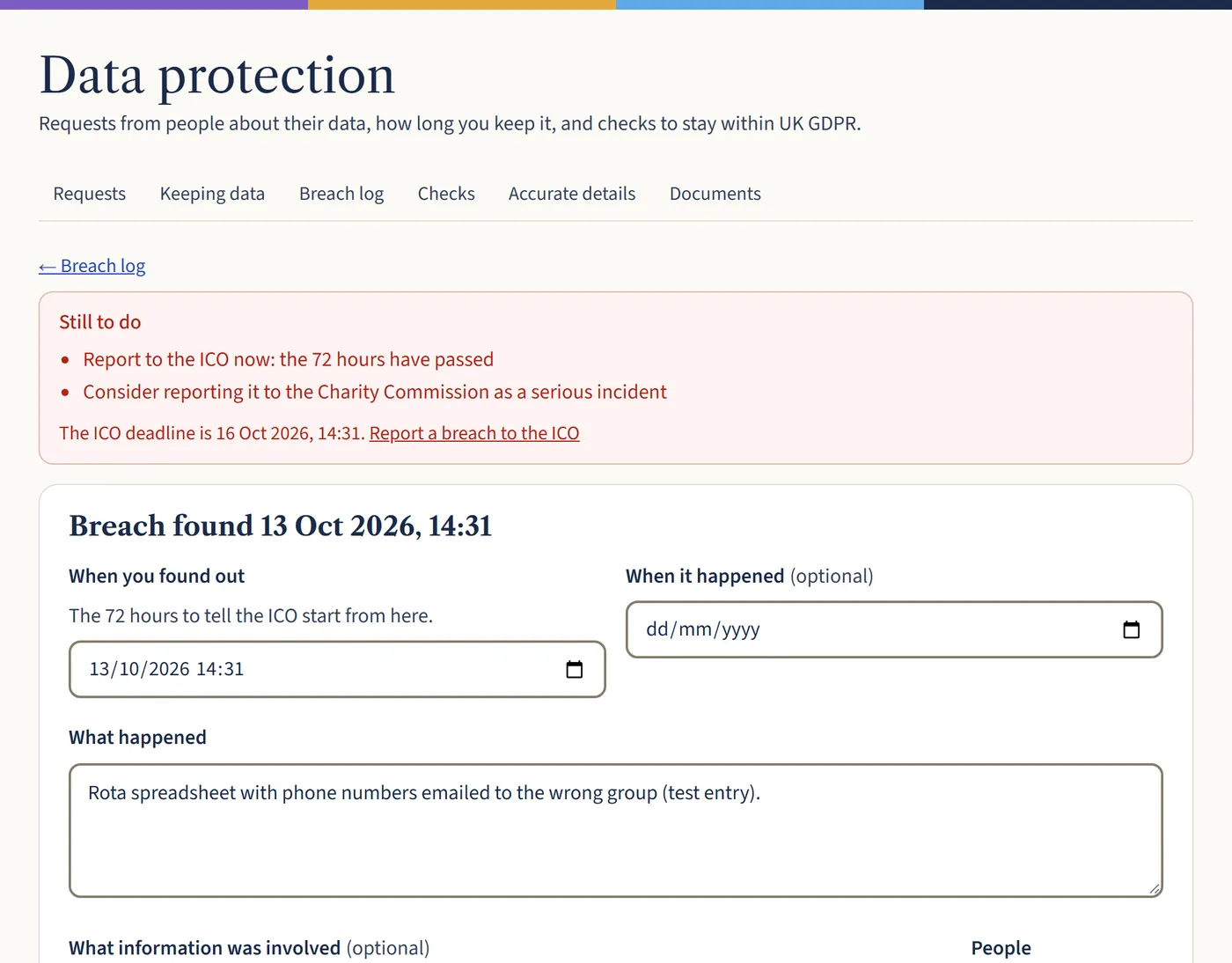
Choose how serious it is for the people affected. If it’s likely to put people at risk, the page shows how long you have left to tell the ICO, with a link to their reporting page. If the risk is high, you must tell the people affected too.
Open a larger view (opens in a new tab) Step 3: Close it when everything’s done
Record your ICO reference if you reported it, and what you’ve done. When everything’s finished, tick Everything’s been done: close this breach and save.
What happens next
Keep a record even of small breaches you don’t report: the law expects it. Our guide What to do after a data breach explains when to report.