When someone asks about their data
Subject access, deletion and complaints, step by step.
Who can do this: Administrators
People don’t have to use the right words: “what do you have on me?” is a subject access request. You normally have one calendar month to reply, and the clock starts the day it arrives.
Step 1: Log the request
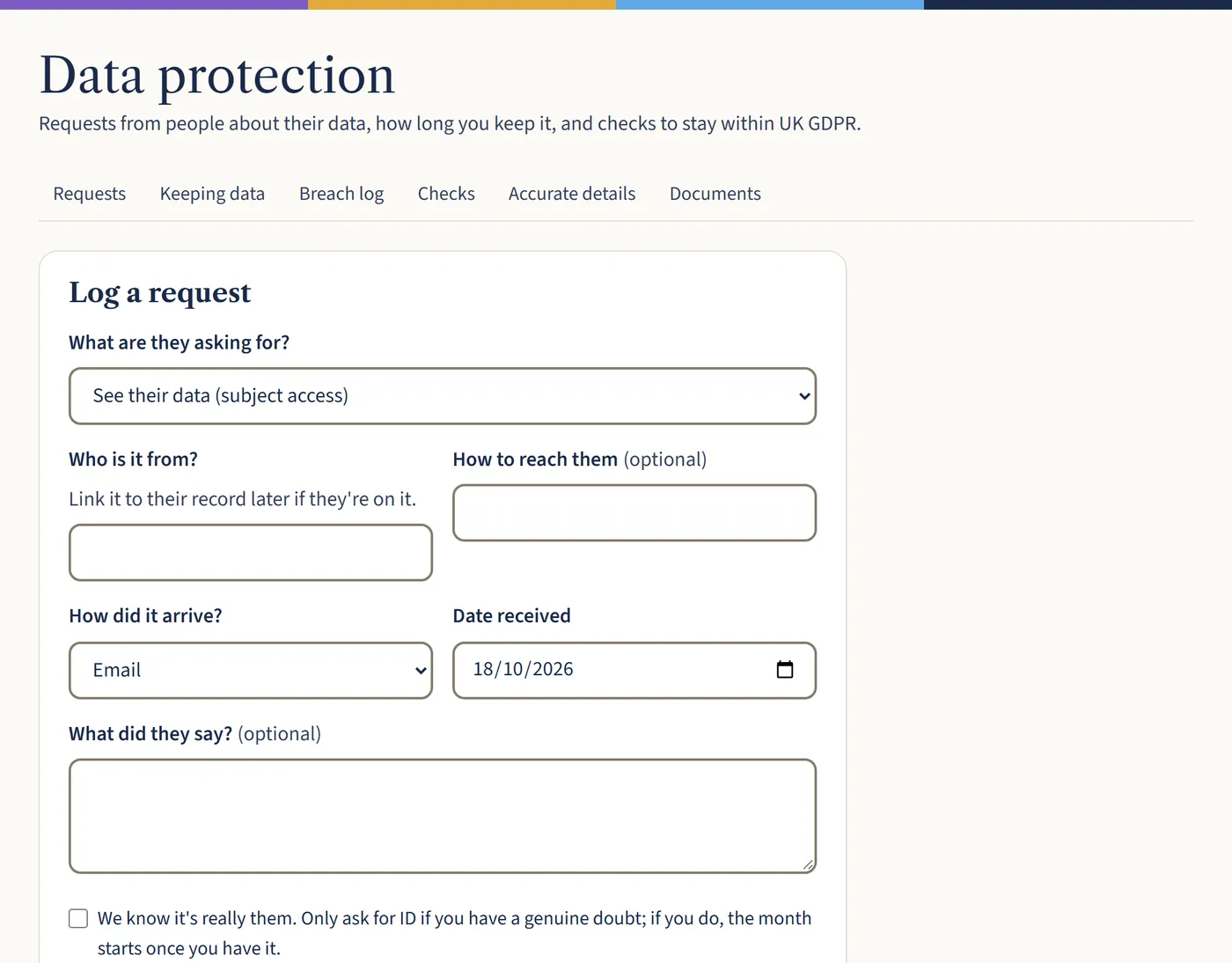
Go to Data protection and choose Log a request. Choose what they’re asking for, who it’s from, how it arrived and the date. Then choose Log the request.
Open a larger view (opens in a new tab) Step 2: Work on it
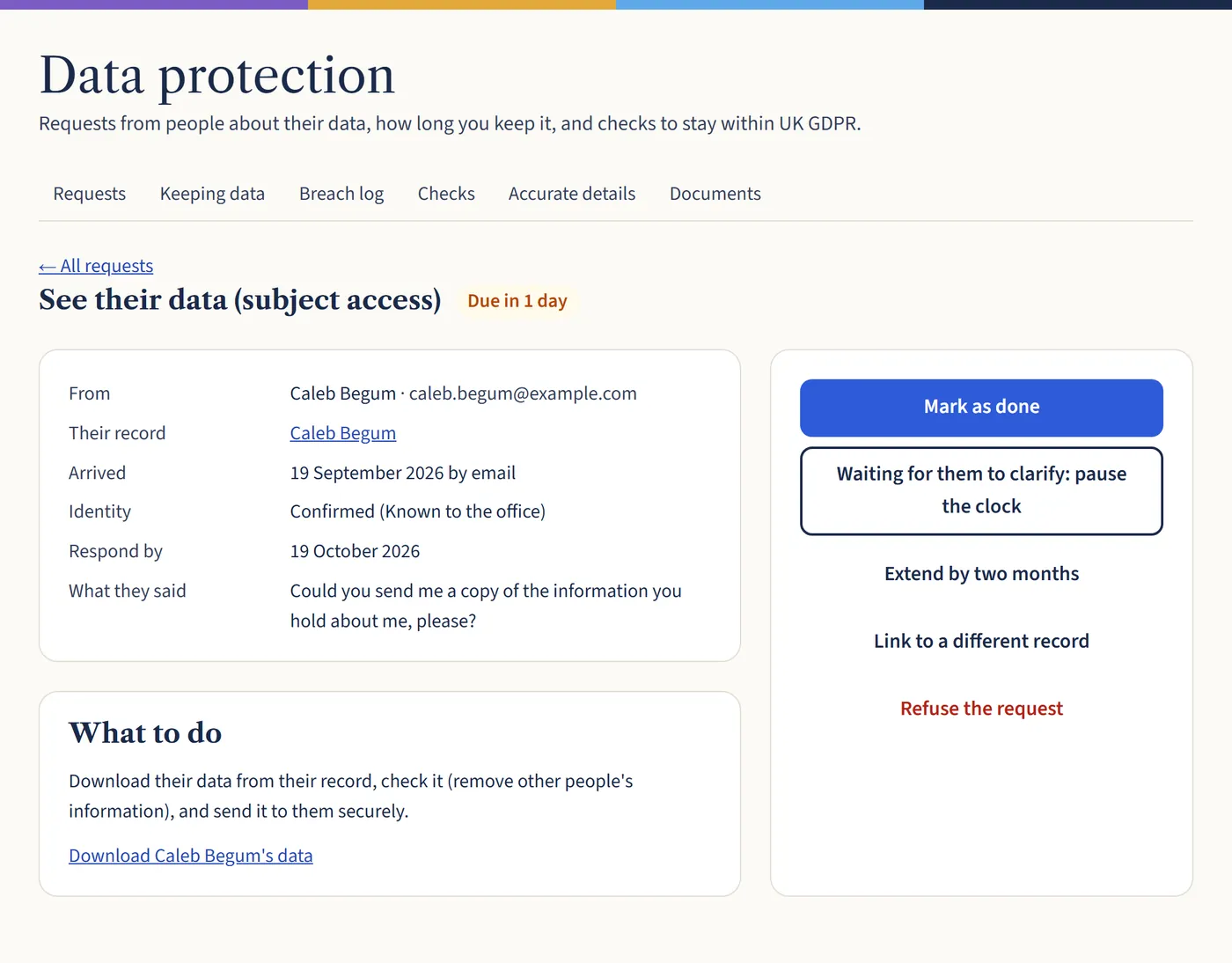
The request page shows the deadline and what to do. For a copy of their data, open their record and choose Download everything we hold. Check it before sending, and take out anything about other people.
To delete their data, choose Erase their data on their record. You’ll see what will go and what must be kept, such as giving records for HMRC.
Open a larger view (opens in a new tab) Step 3: Mark it done
Choose Mark as done and note what you did. If you’re waiting for them to tell you what they mean, choose Waiting for them to clarify: pause the clock. Complex requests can be extended by two months.
What happens next
Complaints about how you use data must be acknowledged within 30 days. Log them the same way, choosing Data protection complaint.