Recording DBS checks
Keep only what GOV.UK allows, and see renewals coming up.
Who can do this: Administrators and safeguarding leads
Step 1: Record a check
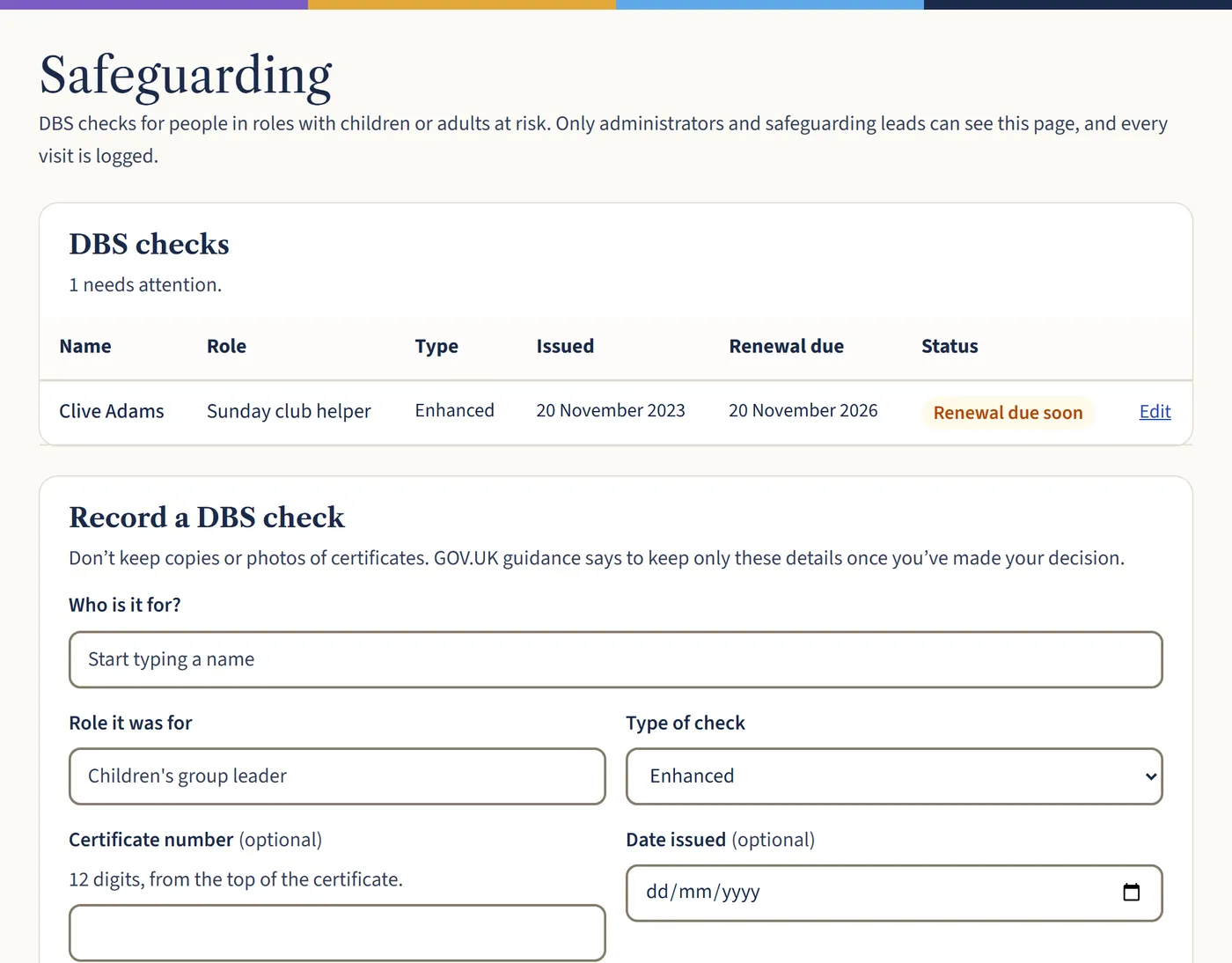
Go to Safeguarding. Under Record a DBS check, choose who it’s for, the role, the type of check, the certificate number, the issue date and the decision. Tick if they’ve joined the DBS Update Service. Then choose Save DBS check.
Open a larger view (opens in a new tab) Step 2: Set how often to renew
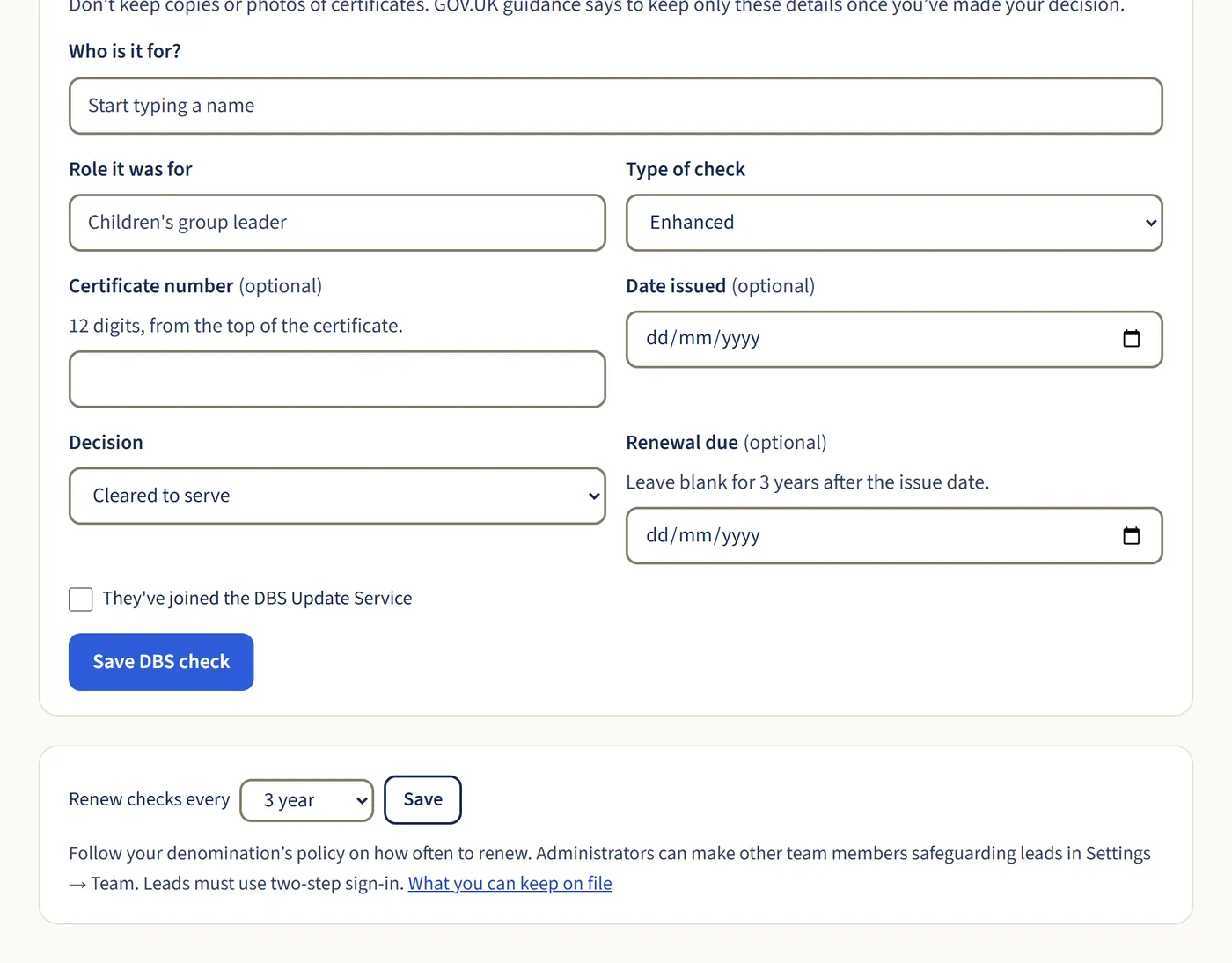
Under Renew checks every, choose your denomination’s period and save. Renewal dates are filled in for you, and the dashboard warns you when checks are due.
Open a larger view (opens in a new tab)
What happens next
Don’t keep copies or photos of certificates. Only administrators and safeguarding leads can open this page, and every visit is logged. Make someone a safeguarding lead in Settings → Team.