A Church Membership Database That Keeps Itself Up to Date
Everything about a person is on one page: contact details, household, groups, giving and notes. Lists update themselves, and members can keep their own details right.
- Households kept together
- Lists that update themselves
- Import from your old system
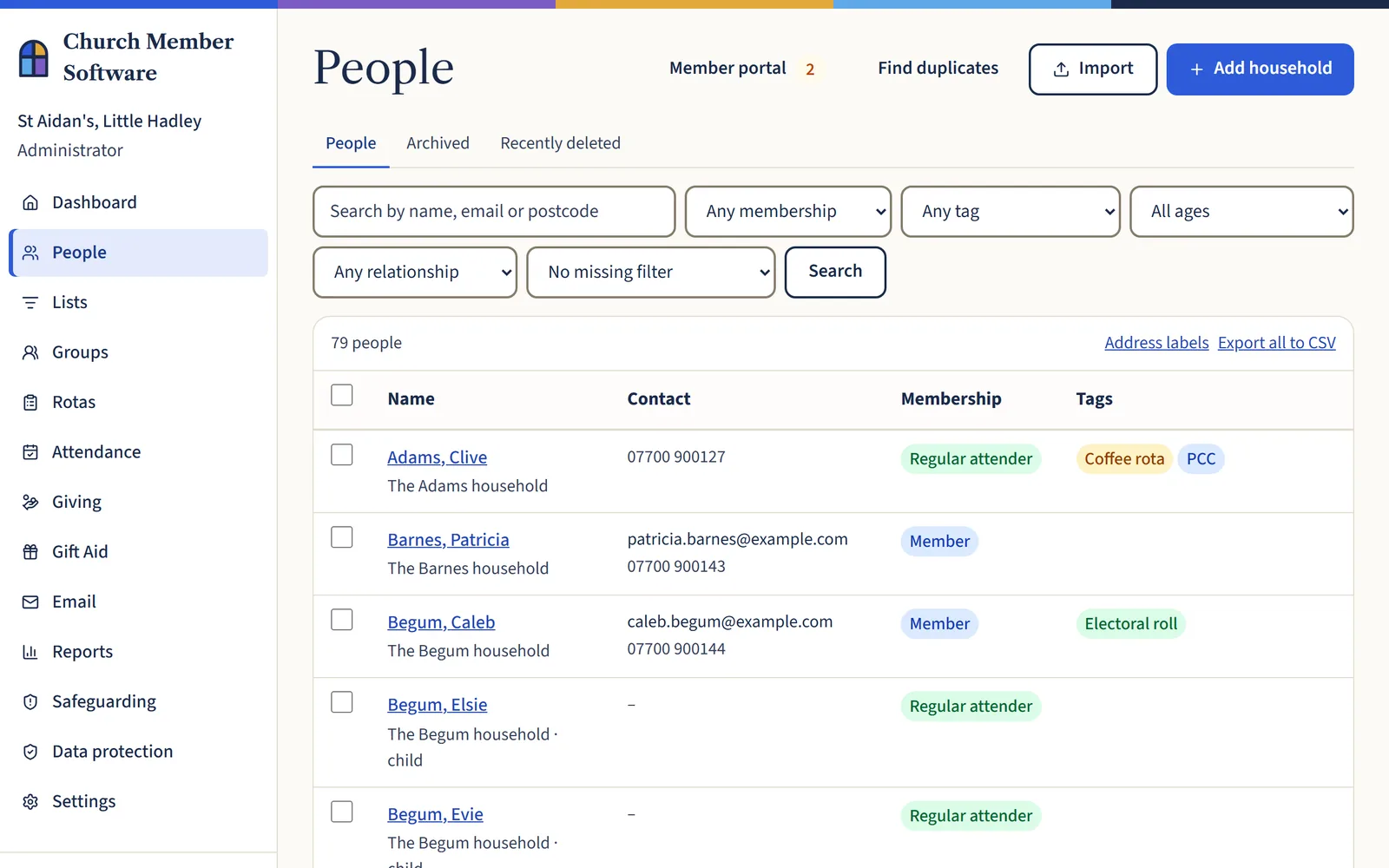
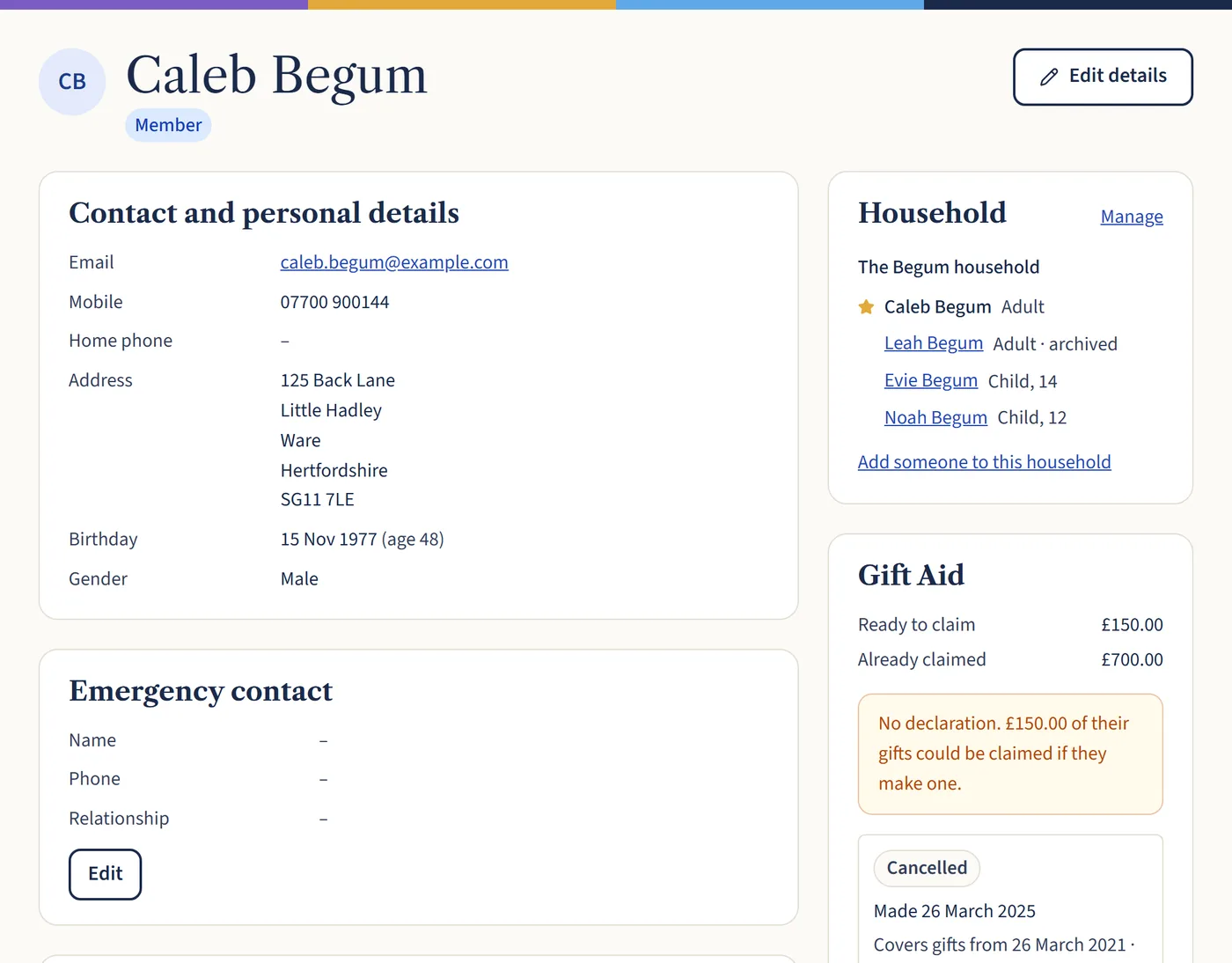
One page for every person
See someone’s contact details, household, groups, rotas, giving and Gift Aid in one place. Add key dates, tags and your own custom fields for anything else you track.
Pastoral notes and medical needs can be limited to the people who should see them, so a counter never reads a pastoral note.
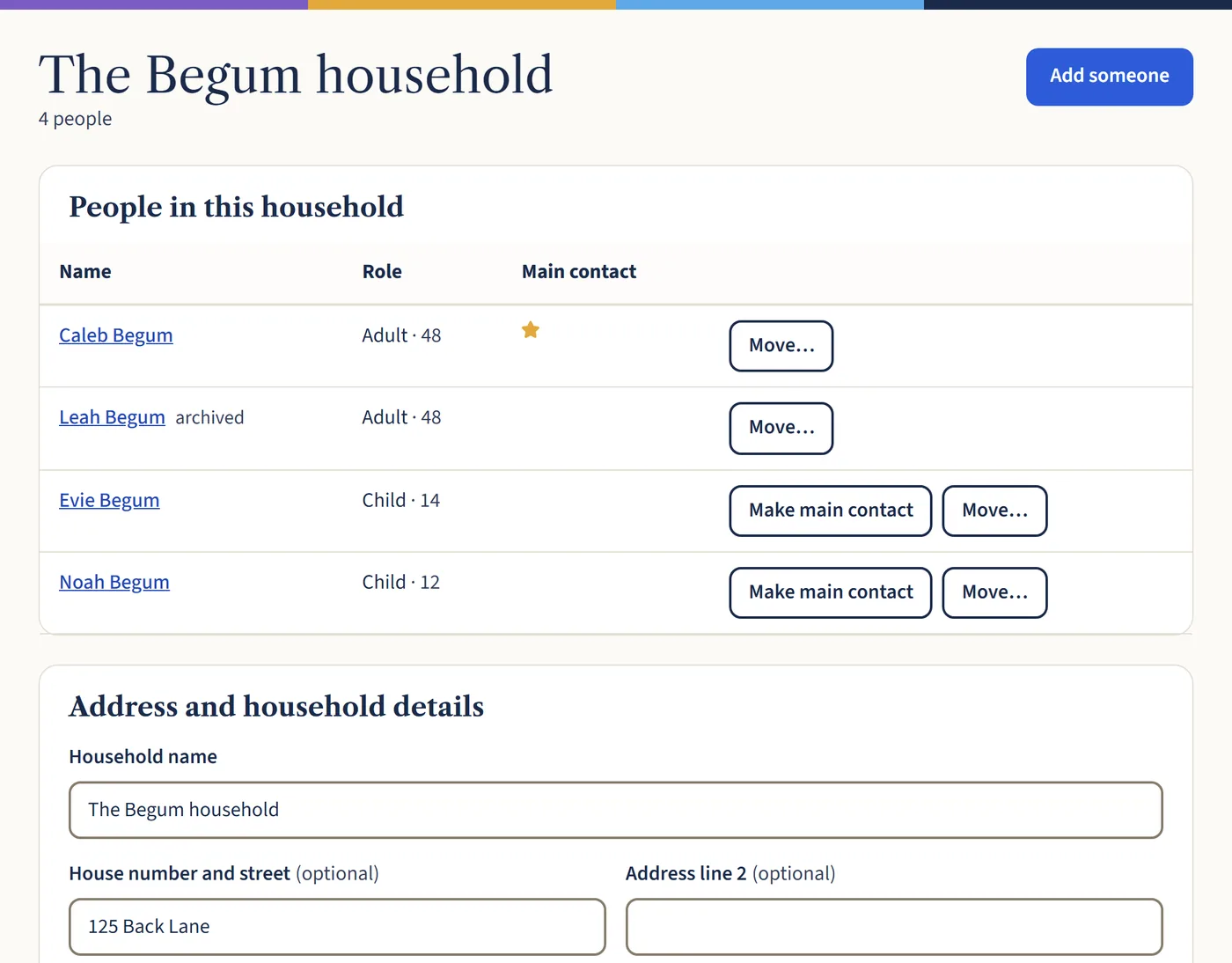
Households, not just names
Keep families together with one address, a main contact and their children. When someone moves, change the address once and the whole household moves with it.
Old addresses are kept in the person’s history, and each Gift Aid declaration keeps the address exactly as it was given.
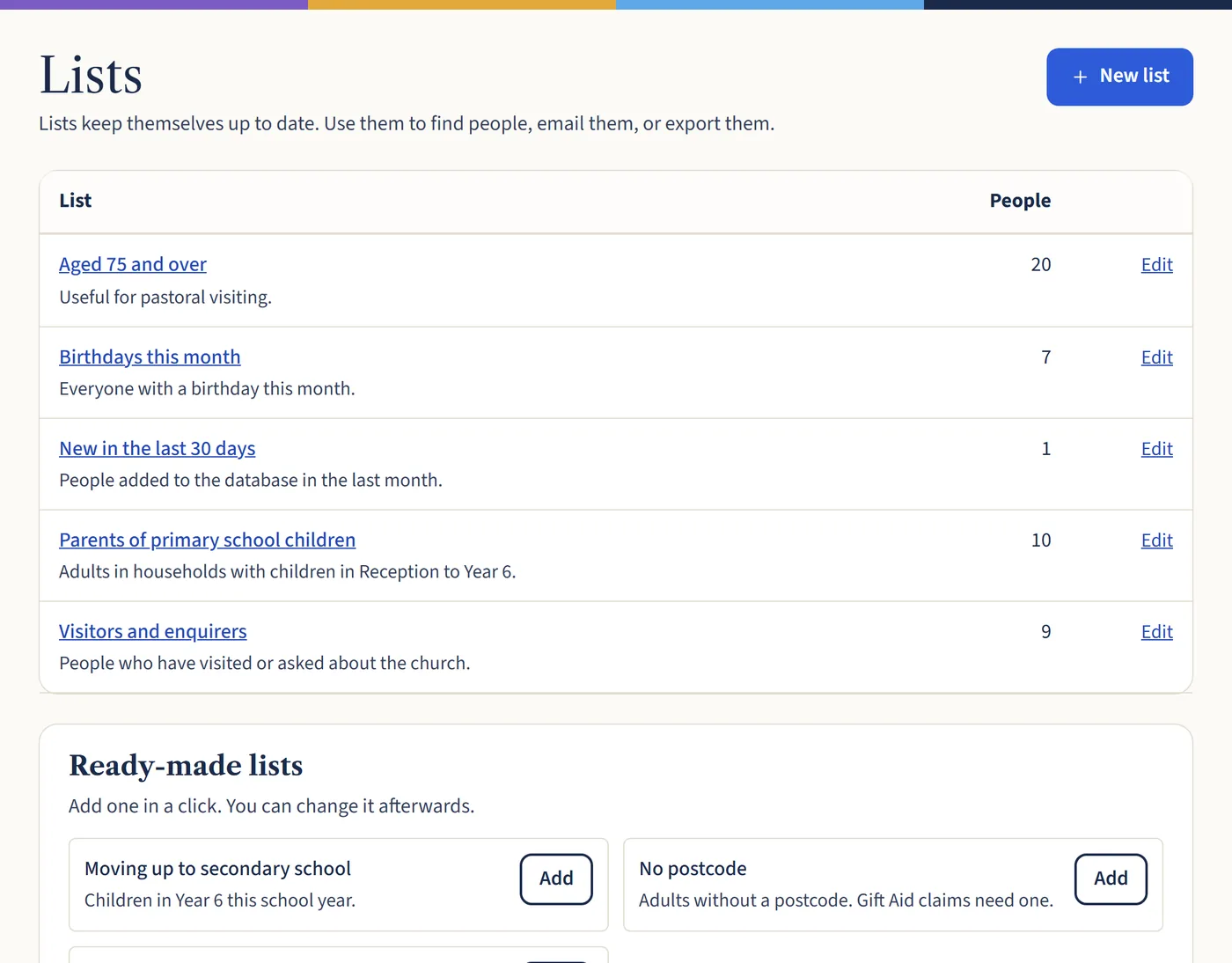
Lists that keep themselves up to date
Save a list once, such as everyone aged 75 and over or parents of primary school children. It stays right as people join, move and have birthdays.
Email a list, print address labels from it or export it to a spreadsheet. Ready-made lists get you started in a click.
Bring your records across safely
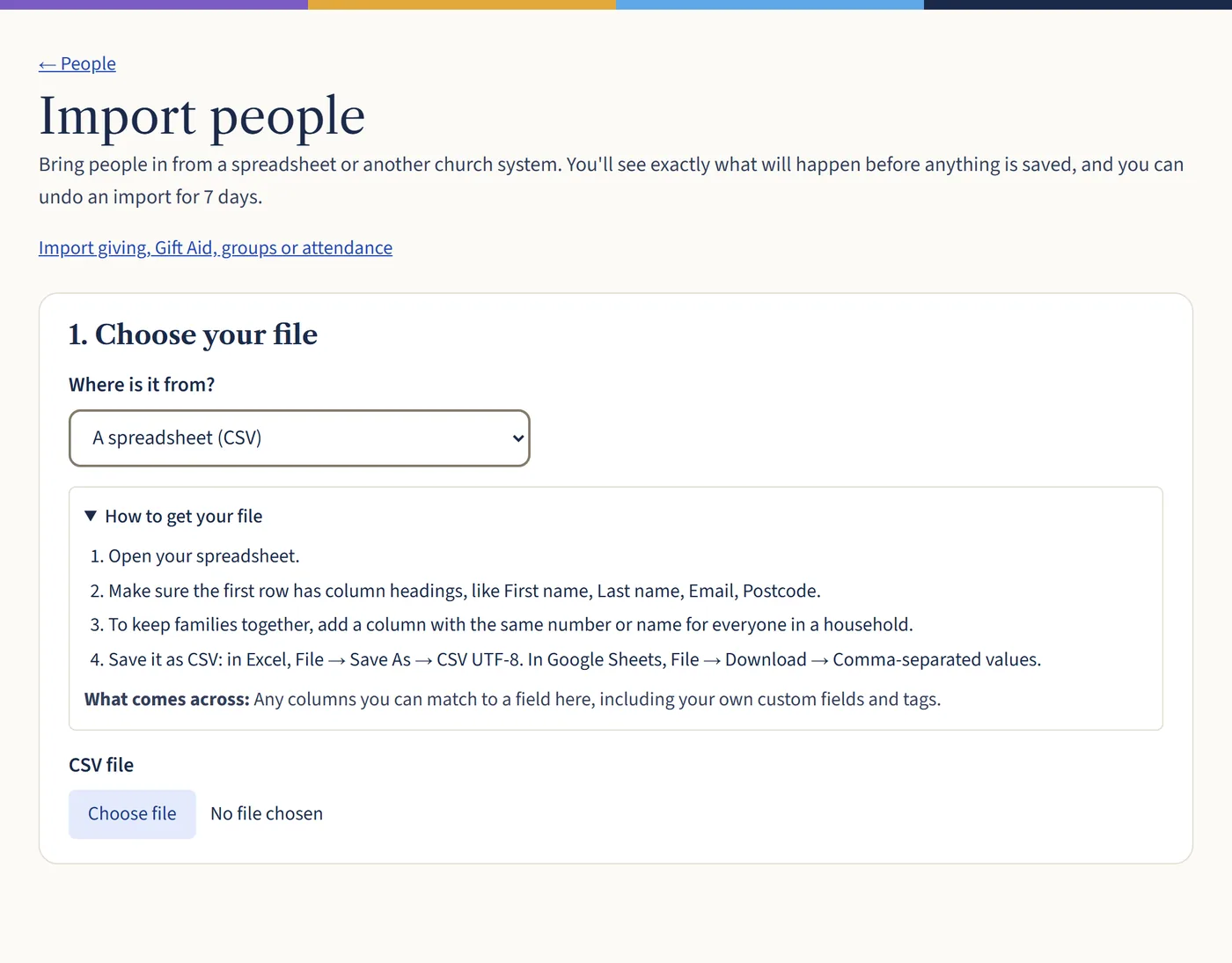
Import from ChurchSuite, Elvanto, Breeze, ChMeetings, Planning Center or any spreadsheet. You’ll see every change before it’s saved, and you can undo an import for 7 days.
Giving history, Gift Aid declarations, groups and attendance can come across too. Possible duplicates are spotted, so you can merge them.
Also included
- Archive people who’ve left, without losing their giving records
- Address labels and CSV exports for any list
- Emergency contacts and access needs
- Members can check and update their own details
- Possible duplicates found and merged
- A recycle bin for anyone deleted by mistake
Questions churches ask
- How many people can we keep?
- As many as you like. Your plan depends only on the number of active adults, and children don’t count towards it.
- Can we bring our records from ChurchSuite or a spreadsheet?
- Yes. There are step-by-step guides for ChurchSuite, Elvanto, Breeze, ChMeetings and Planning Center, and any spreadsheet saved as a CSV file. You see every change before it’s saved.
- Who can see pastoral notes?
- You decide. Notes can be limited to particular roles or named people, and counters and treasurers never see them unless you say so.
- Where are our records kept?
- Church records are stored in the UK, in London. You can download everything at any time.
See your church on one page
Start a free 30-day trial, import a spreadsheet from your current system and see how your records look. No card needed.