Church Giving Software for Collections, Standing Orders and Statements
Record a Sunday collection in minutes, bring in standing orders from your bank statement and send every giver a statement at the end of the tax year.
- Quick Sunday collection entry
- Standing orders from your bank statement
- Statements by email or print
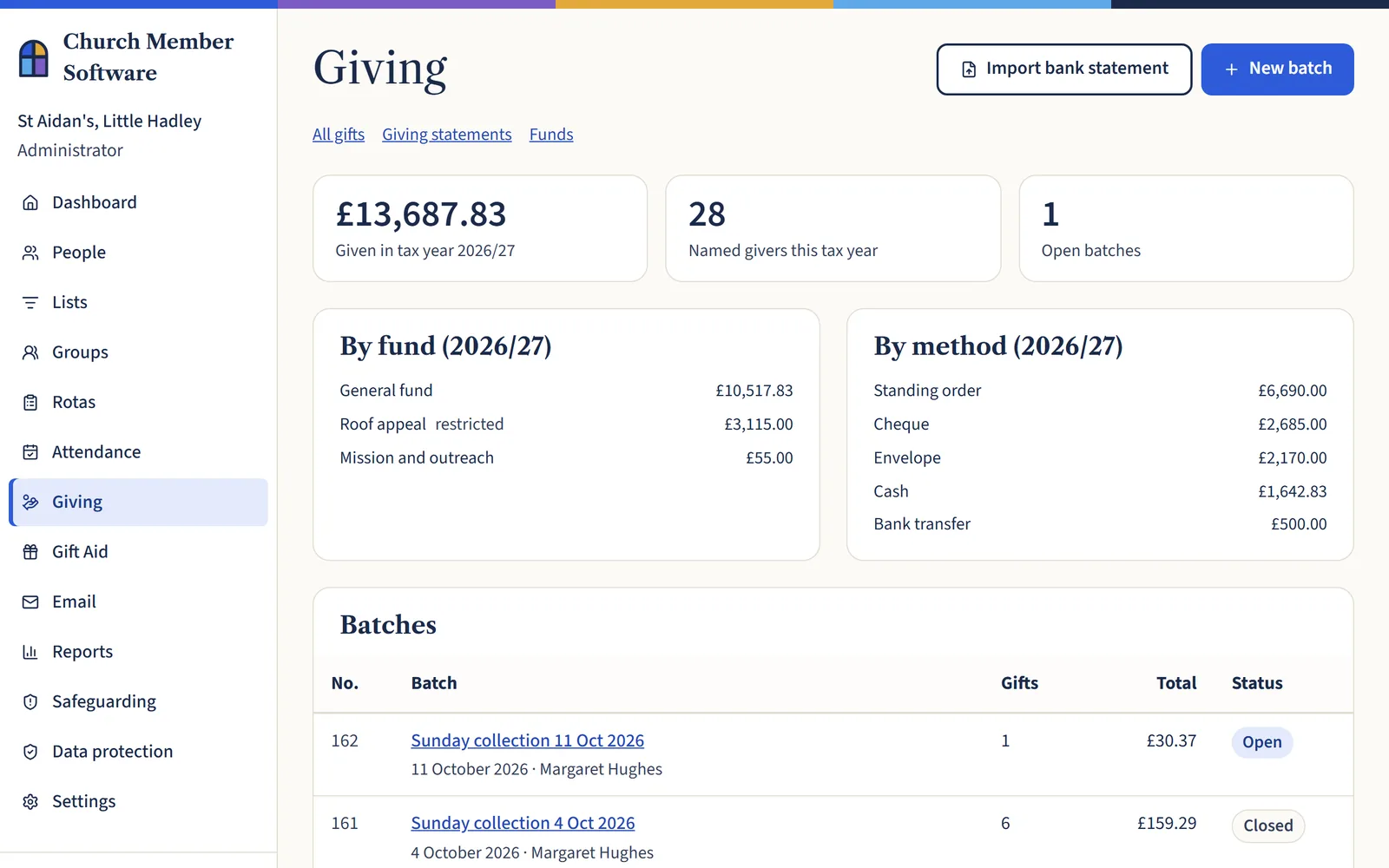
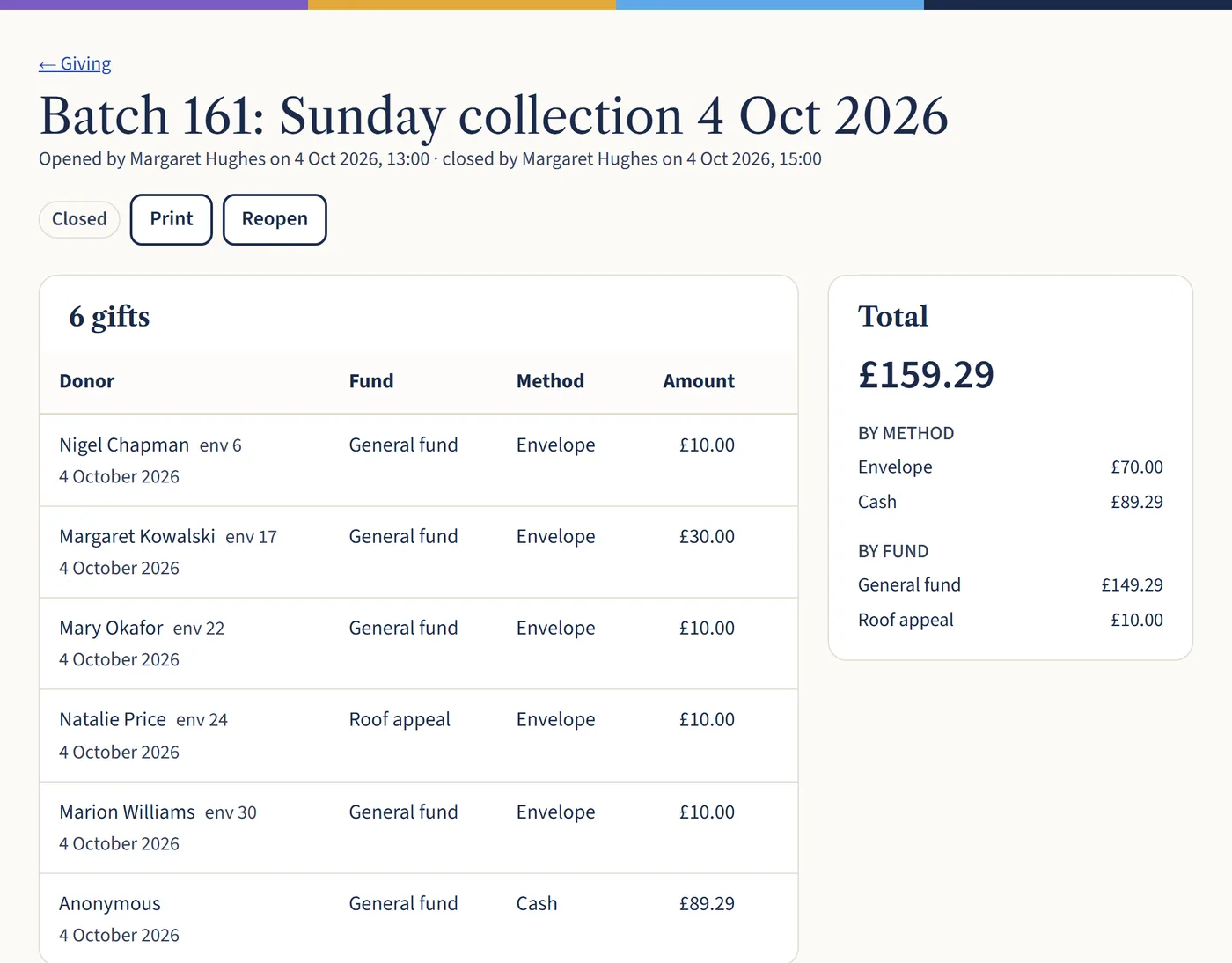
Count the collection in minutes
Type an envelope number or name, press Enter, then the amount. The box is ready for the next envelope straight away, and loose cash goes in as one line.
Check the total against the counted cash, then close the batch so it can’t change by accident.
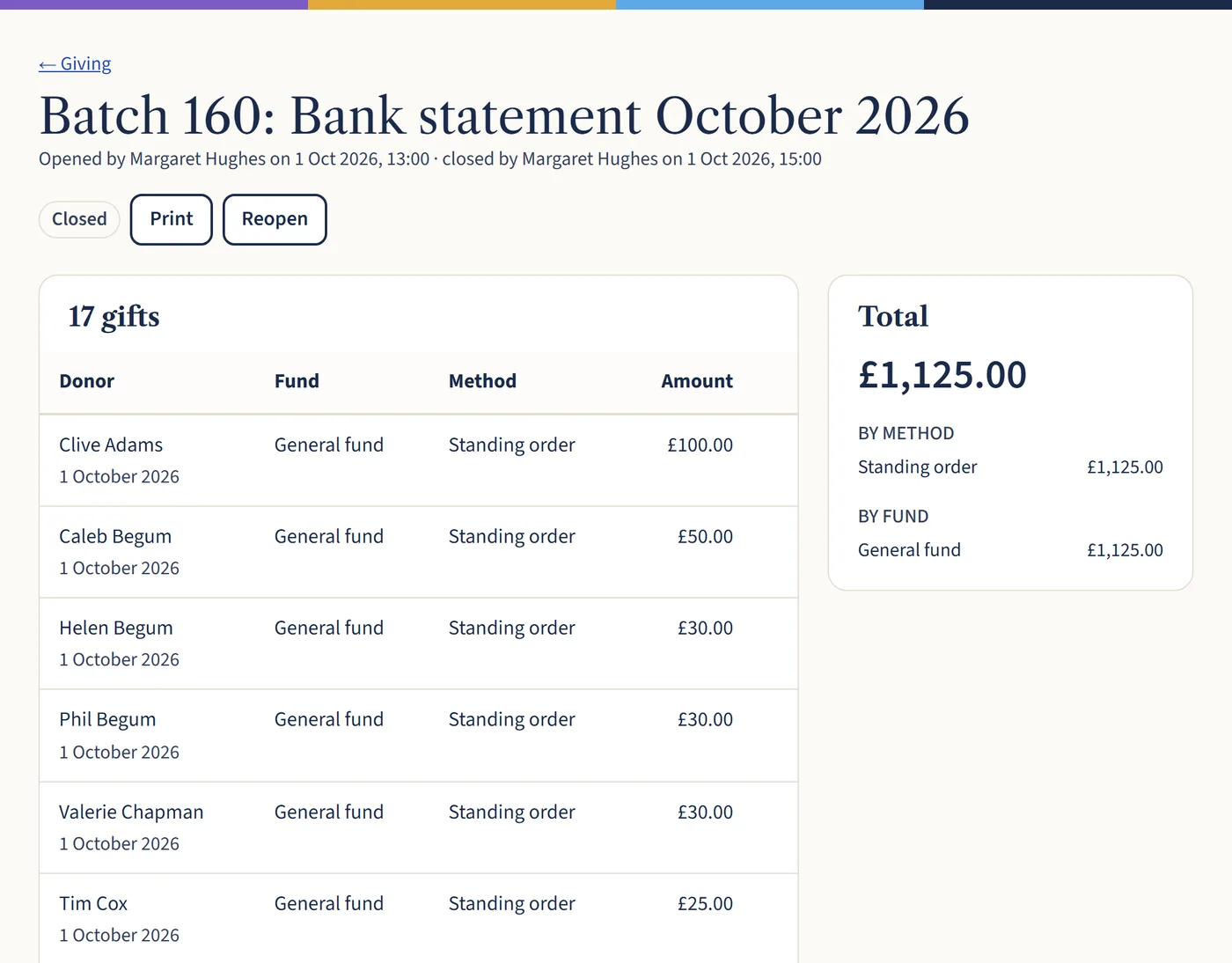
Standing orders straight from your bank statement
Download a statement from online banking as a CSV or OFX file and upload it. Only money coming in is brought across, and each payment is matched to the right giver.
Once you’ve matched a giver’s bank reference, it’s matched for you every month after that.
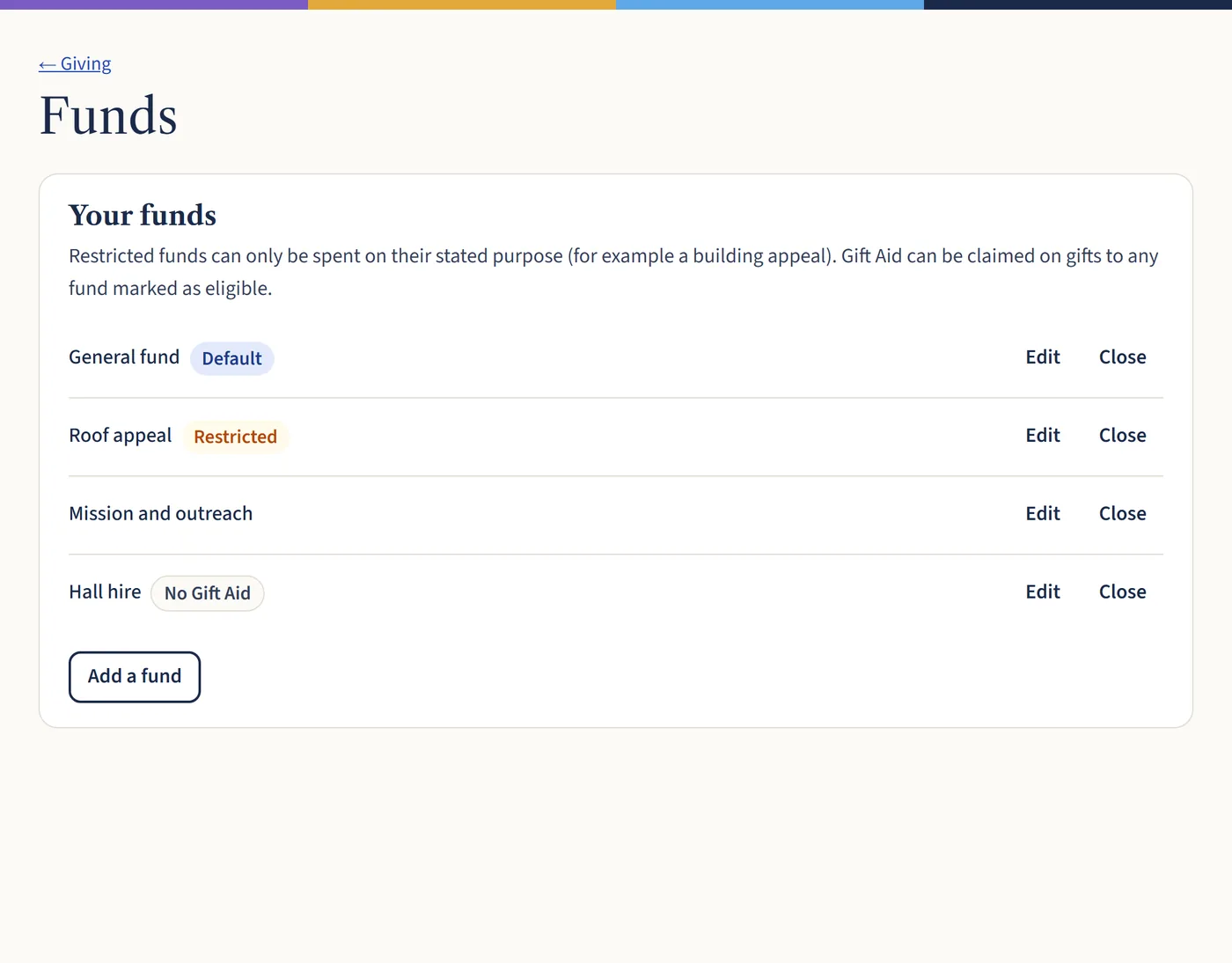
Funds for every purpose
Keep your general fund, building appeal and mission giving apart. Restricted funds are marked, so everyone knows that money has a set purpose.
Mark a fund as not eligible for Gift Aid, such as hall hire, and those gifts are never claimed by mistake.
A statement for every giver
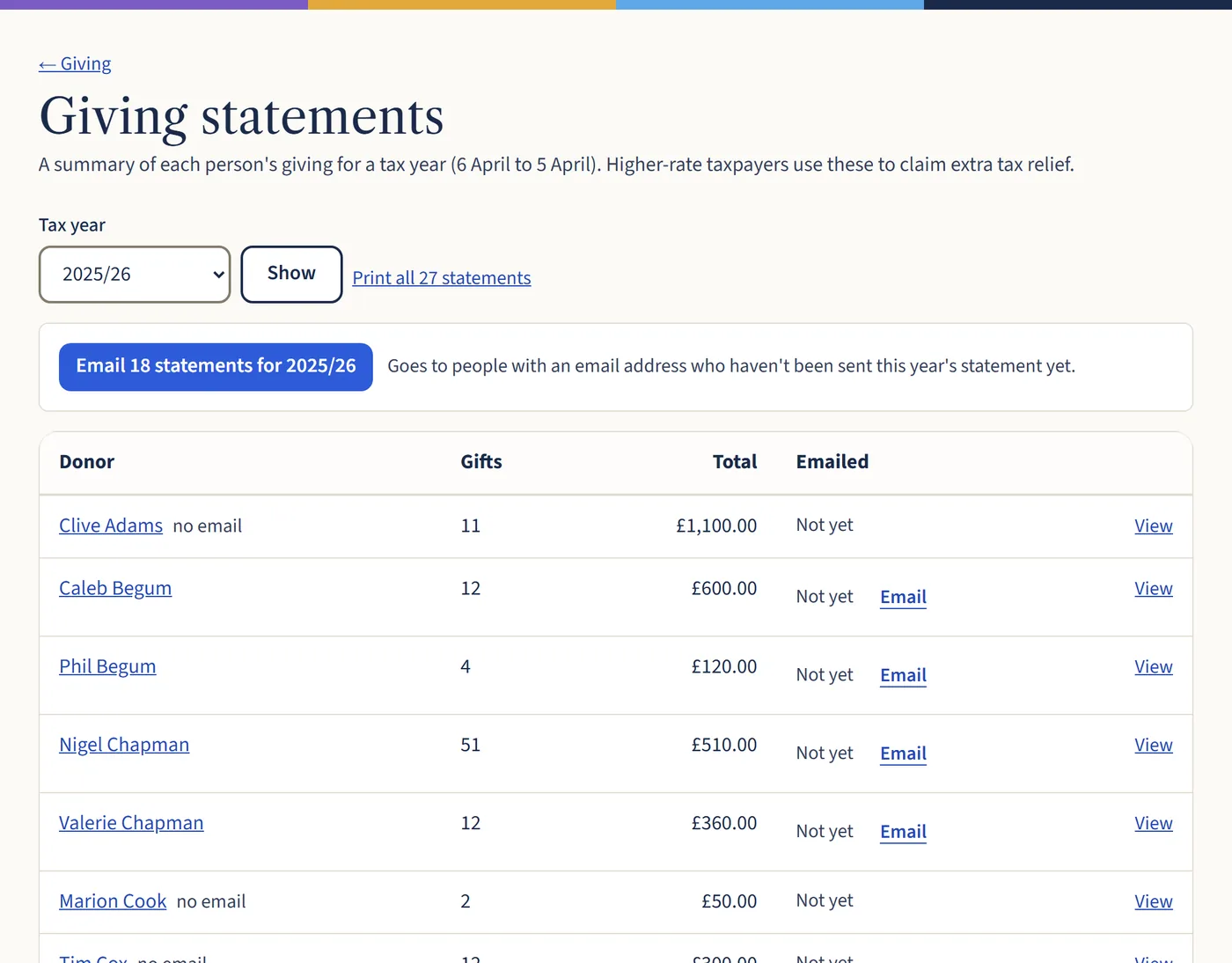
At the end of the tax year, print every statement in one go or email them to everyone with an email address. Givers who pay higher-rate tax use them to claim extra relief.
Members can also download their own statement in their member area.
Also included
- Counters enter collections without seeing anyone’s giving history
- Cash, cheques, envelopes, card, contactless, Direct Debit and online giving
- Gift Aid checked on every gift as it’s entered
- Loose cash counted towards the Small Donations Scheme
- Giving totals for your annual report
- Every gift kept for the 6 years HMRC can ask about
Questions churches ask
- Does it take card payments or online giving?
- No. It records the gifts you receive, however they’re given, and brings in bank transfers and standing orders from your bank statement.
- Which banks does the statement import work with?
- Most UK banks. Download your statement from online banking as a CSV or OFX file (sometimes called Money or Quicken format) and upload it.
- Can counters see what people give?
- No. The counter role can enter collections into batches, but can’t see anyone’s giving history.
- Is Gift Aid included?
- Yes. Every plan includes Gift Aid, giving statements and the Small Donations Scheme, from £12 a month including VAT.
Make next Sunday’s count the quickest yet
Start a free 30-day trial, set up your funds and record your first collection. No card needed.