Recording a Sunday collection
Batches, envelopes and loose cash.
Who can do this: Administrators, treasurers and counters
Gifts are recorded in batches: one batch for each lot of money you count and bank, such as a Sunday collection.
Step 1: Open a new batch
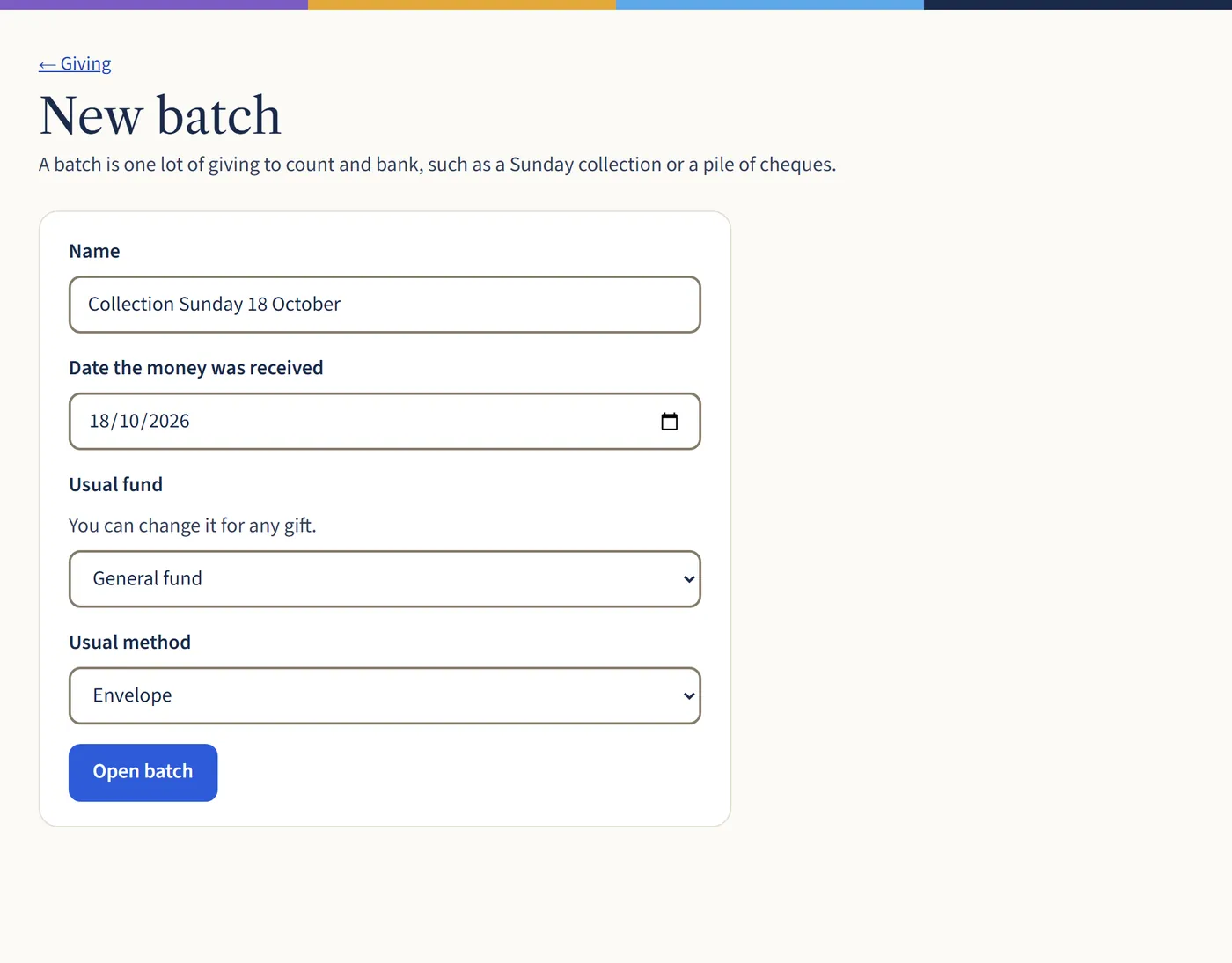
Go to Giving and choose New batch. Give it a name, such as “Sunday 18 October”, the date the money was received, the fund most gifts go to and how most were given. Then choose Open batch.
Open a larger view (opens in a new tab) Step 2: Add each gift
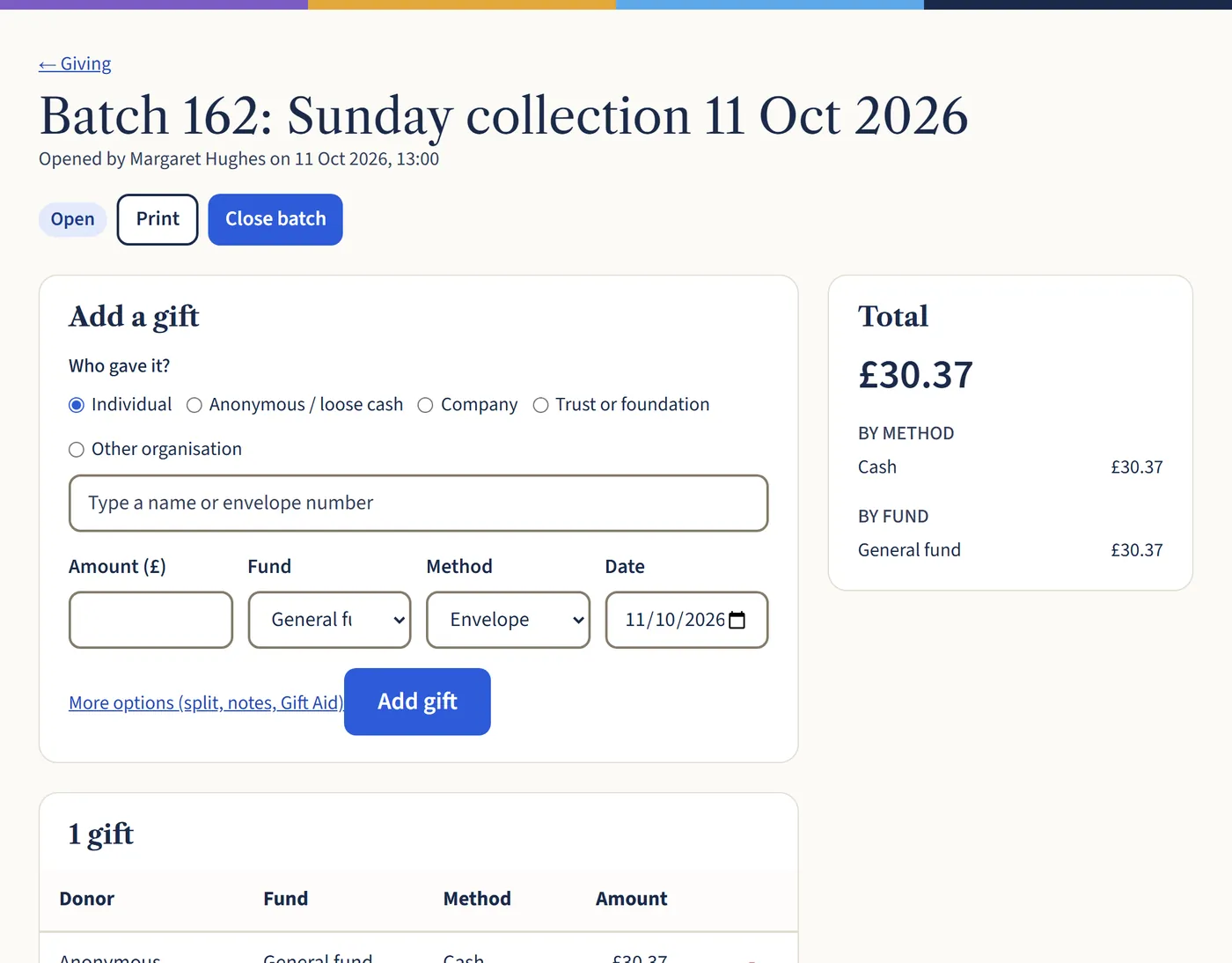
Type a name or envelope number, press Enter, type the amount and press Enter again. The cursor goes back to the name box for the next envelope.
For loose cash, choose Anonymous / loose cash and add the total. Change the fund or method for any gift if it’s different.
Open a larger view (opens in a new tab) Step 3: Check the total and close the batch
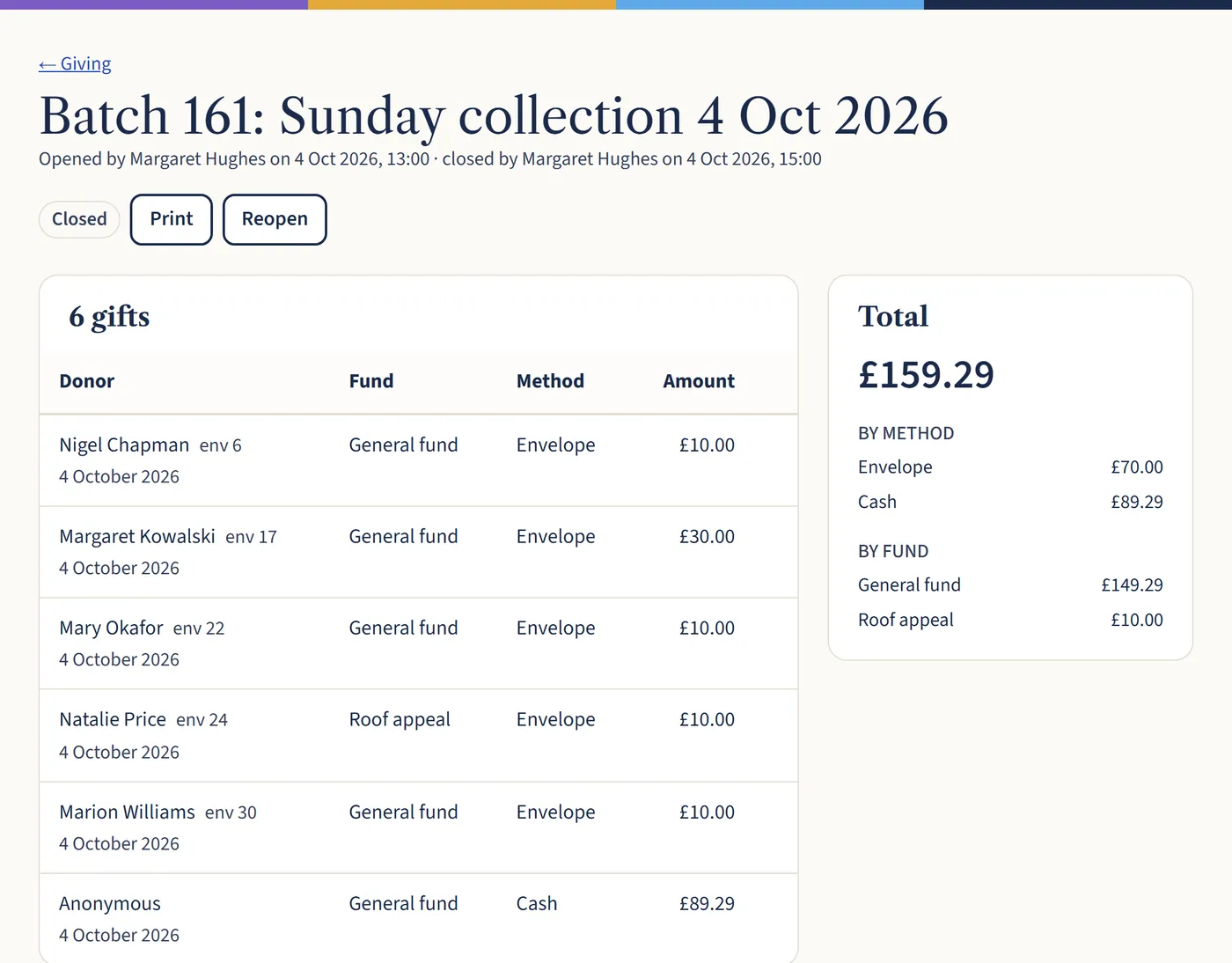
Check the total on the right against the counted cash, then choose Close batch. Closed batches can’t be changed by accident. Choose Print for a copy to go with the banking.
Open a larger view (opens in a new tab)
What happens next
Standing orders and bank transfers are quicker to bring in from your bank statement. See Bringing in standing orders.