Finding and merging duplicates
Spot people who are on your records twice, and combine them.
Who can do this: Administrators and staff
Step 1: Find possible duplicates
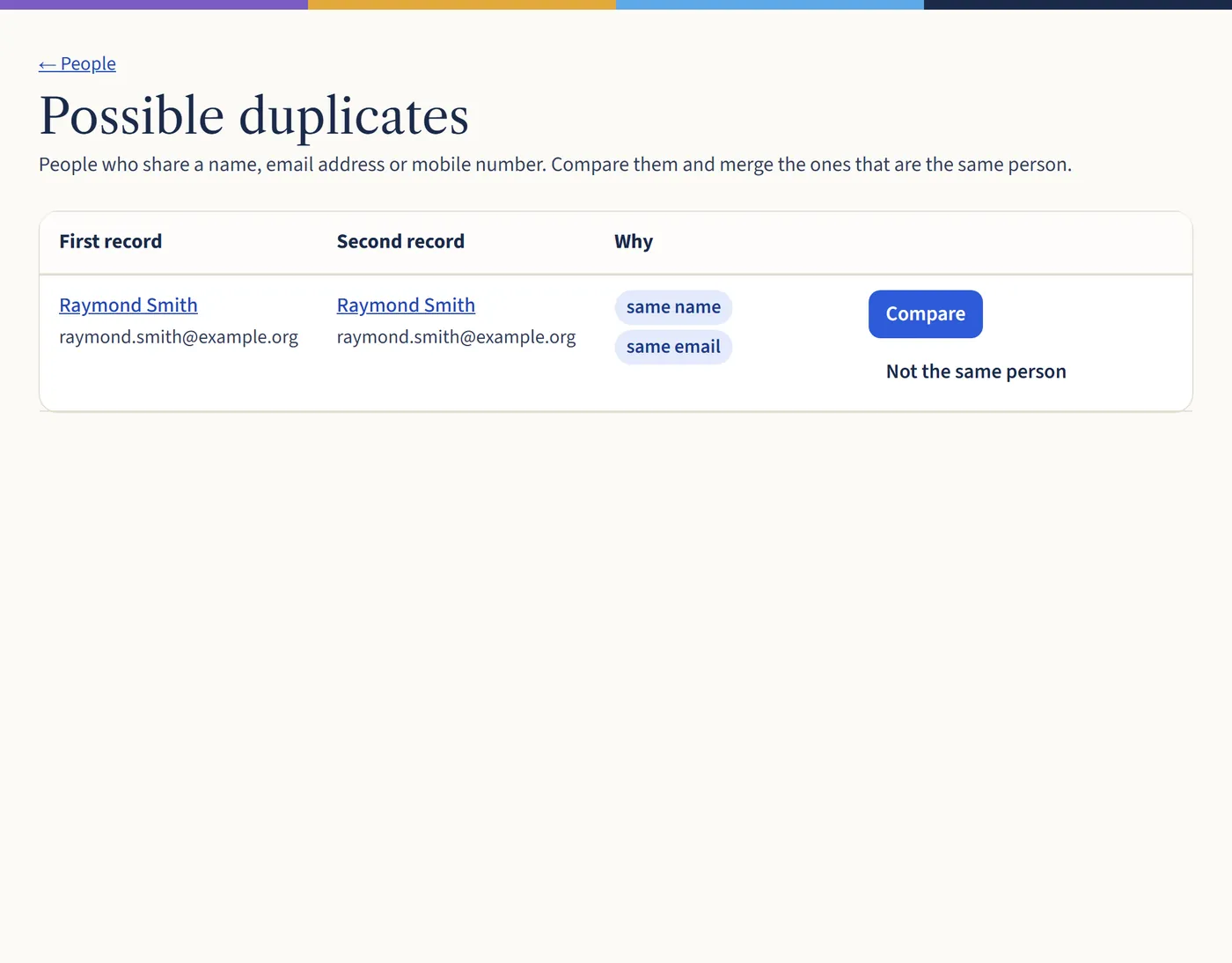
On the People page, choose Find duplicates. You’ll see pairs of people who share a name, email address or mobile number, and why they were matched.
Open a larger view (opens in a new tab) Step 2: Compare and merge
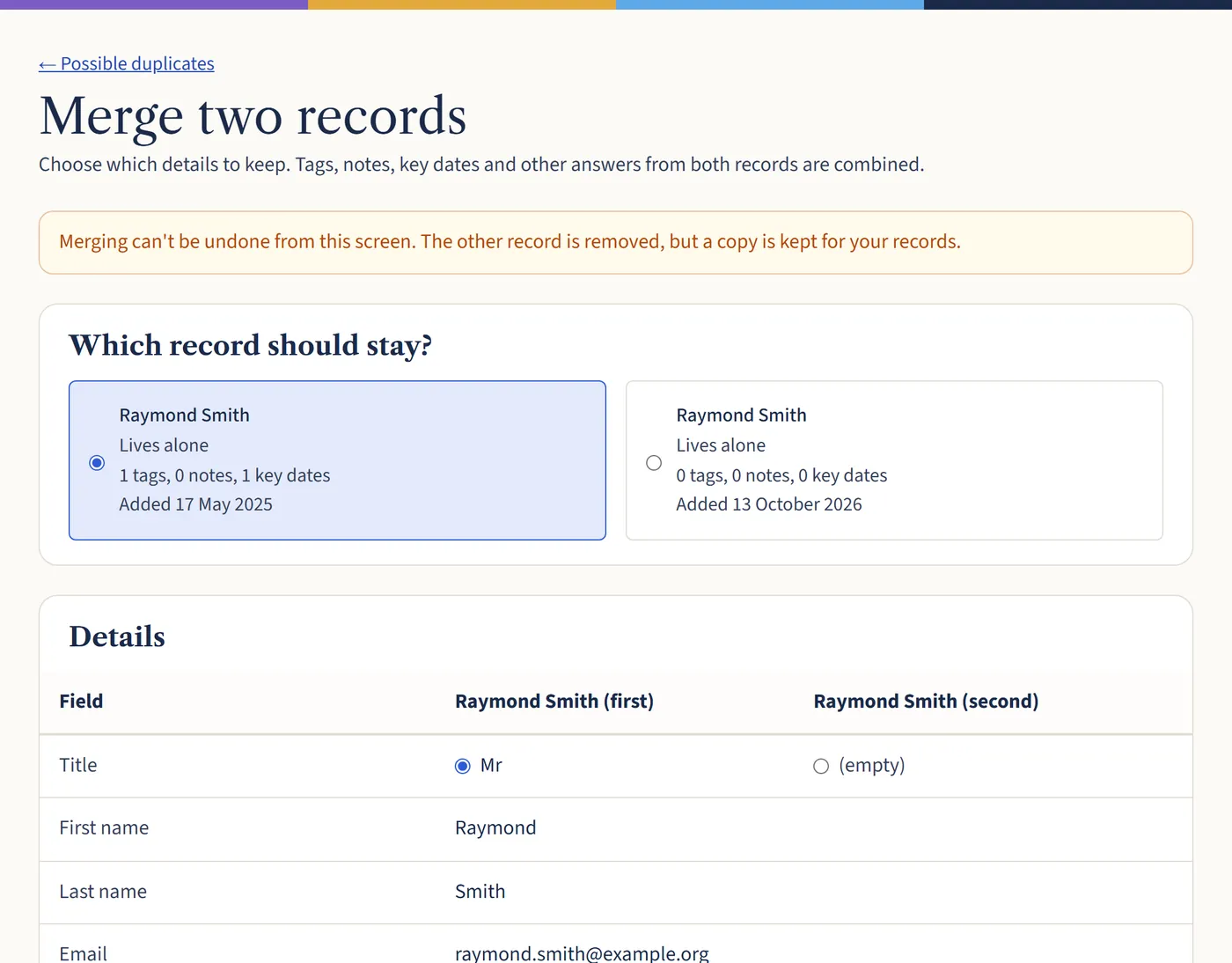
Choose Compare. Pick which record should stay, then choose which details to keep from each. Tags, notes, key dates and giving from both are combined. Then choose Merge records.
If they’re two different people, choose Not the same person and the pair won’t be shown again.
Open a larger view (opens in a new tab)
What happens next
Merging can’t be undone from the screen, but a copy of the removed record is kept for your records.