Updating details when someone moves
Change a household’s address, or move one person to a different household.
Who can do this: Administrators and staff
Step 1: Open the household
Open anyone who lives there and choose Manage in the Household box. You’ll see everyone in the household and its address.
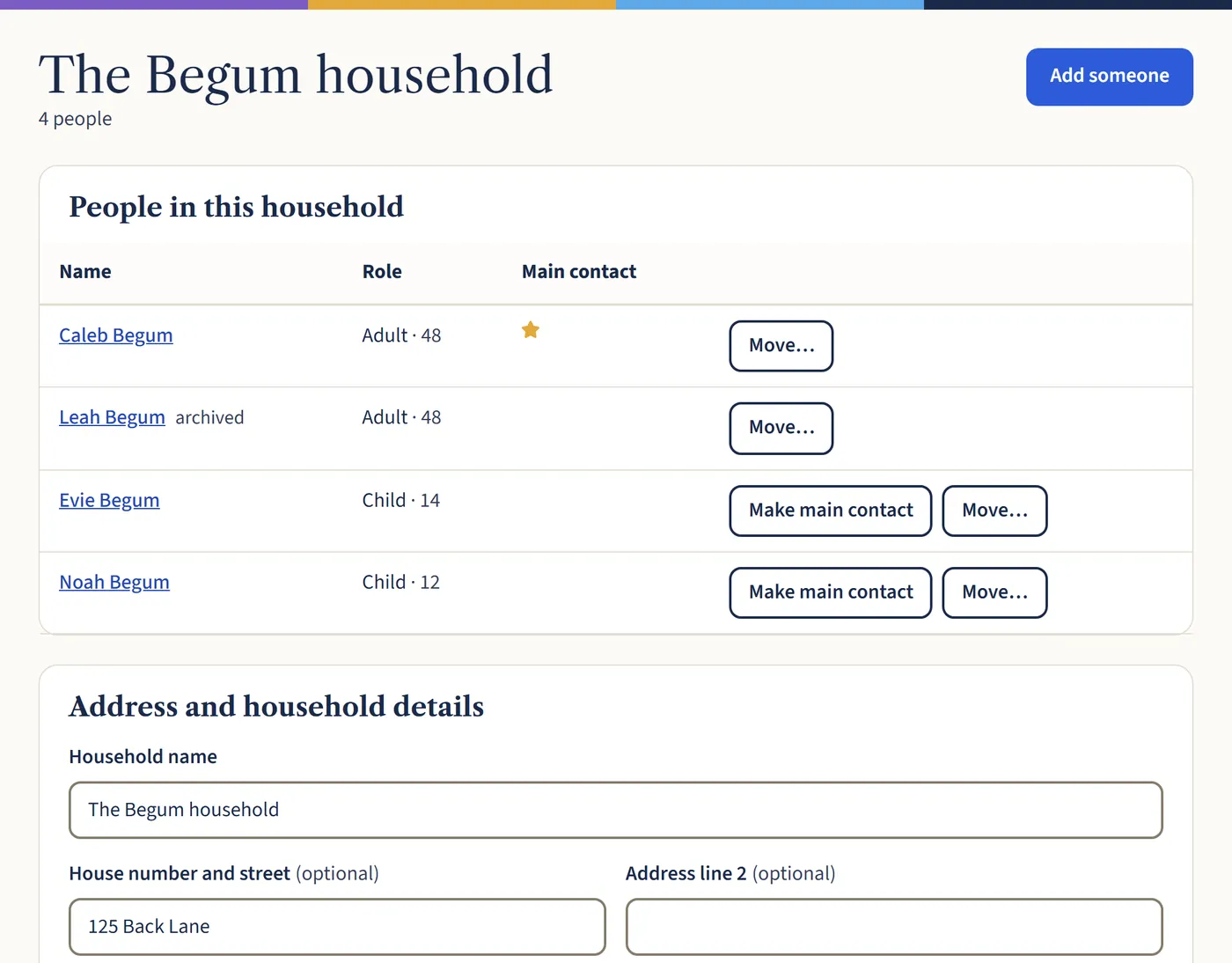
Open a larger view (opens in a new tab) Step 2: Change the address
Under Address and household details, type the new address and choose Save household. Everyone in the household moves together. The old address is kept under Previous addresses, so Gift Aid records still show where someone lived.
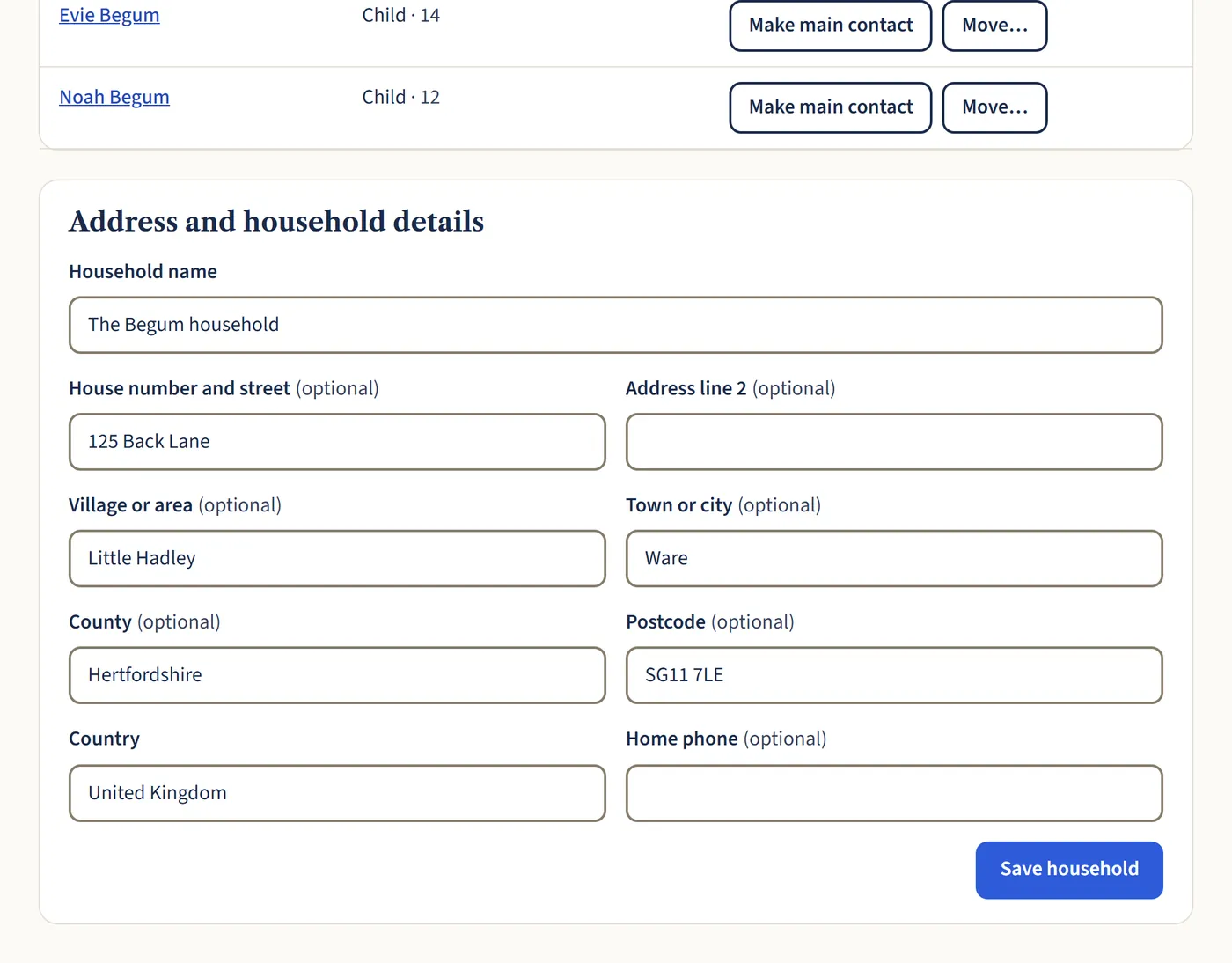
Open a larger view (opens in a new tab) Step 3: Moving one person out
If only one person is moving, for example a grown-up child, choose Move… next to their name. Search for the household they’re joining, or choose Give them their own household.
What happens next
A Gift Aid declaration keeps the name and address the person gave when they made it, so their old declarations still match HMRC’s records.