“Not seen recently” and the Monday email
Notice regulars who haven’t been for a while.
Who can do this: Administrators and staff
Step 1: Open the list
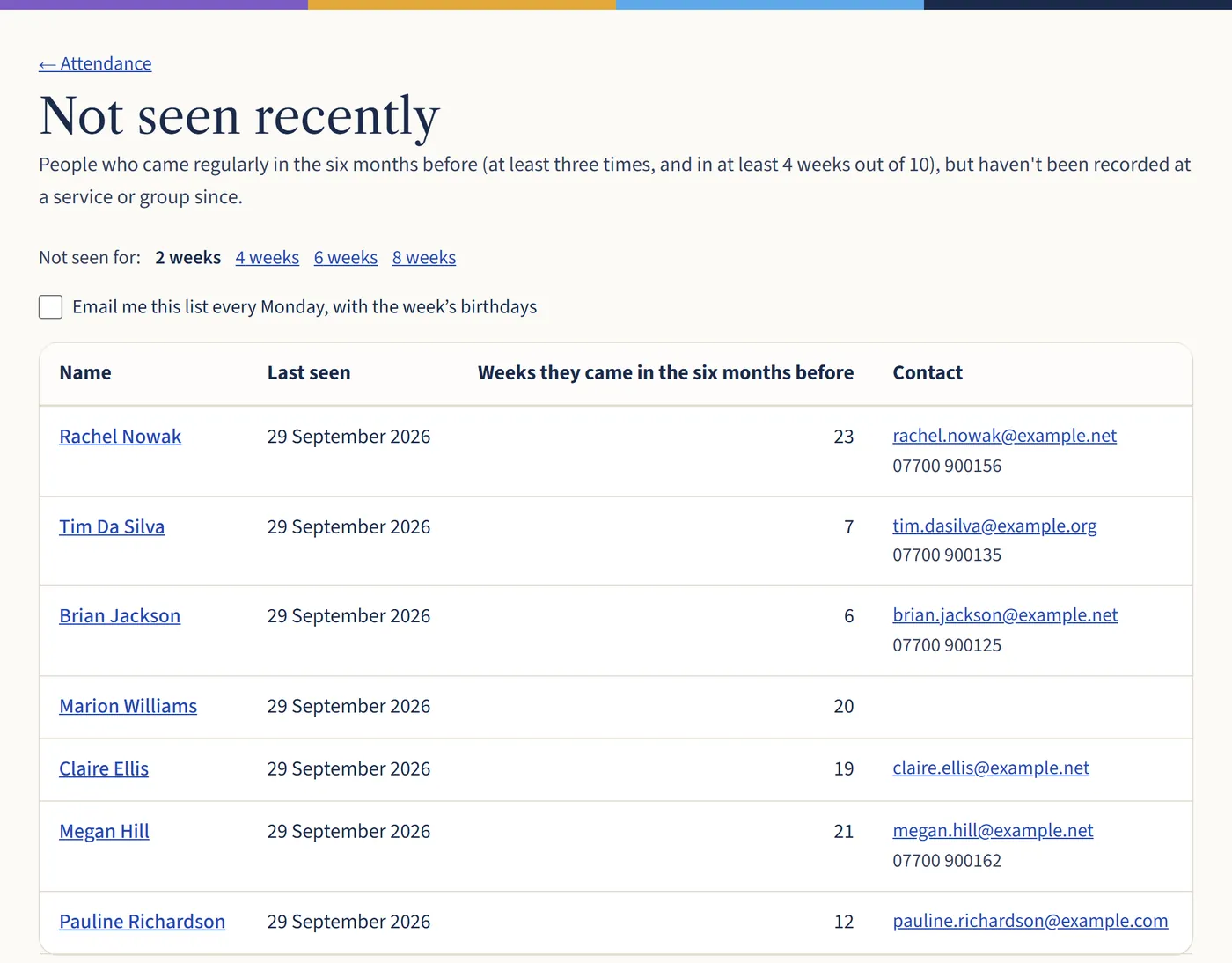
Go to Attendance and choose Not seen recently. Choose 2, 4, 6 or 8 weeks. You’ll see people who came regularly in the six months before but haven’t been recorded since, with their contact details.
Open a larger view (opens in a new tab) Step 2: Get it every Monday
Tick Email me this list every Monday, with the week’s birthdays. Each person turns this on for themselves.
What happens next
This only works for people recorded by name, at groups or services with a register. Headcounts alone can’t tell you who was there.