Taking attendance at a service
Record the headcount after each service.
Who can do this: Administrators and staff
Step 1: Open the register
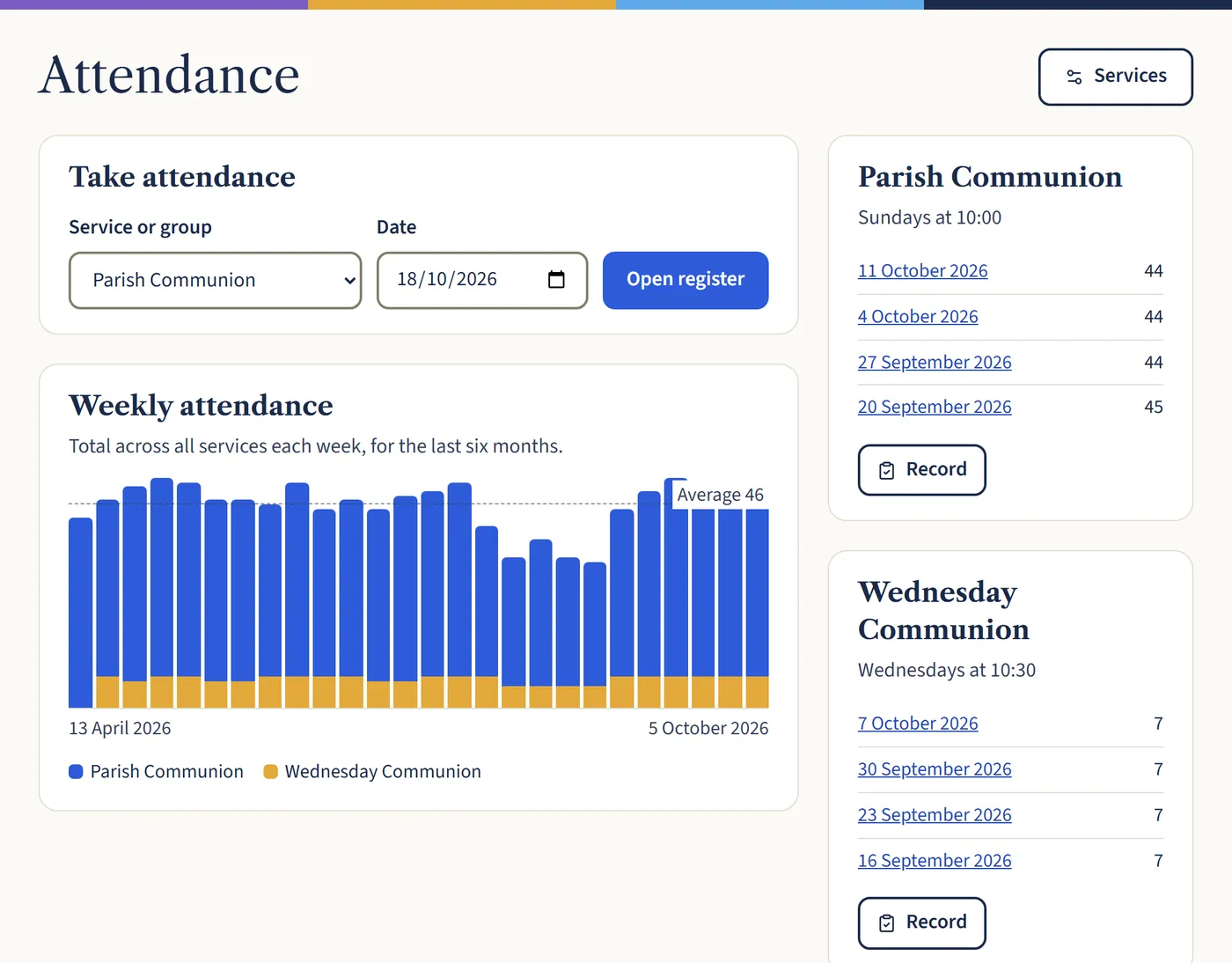
Go to Attendance. Under Take attendance, choose the service and the date, then Open register.
Open a larger view (opens in a new tab) Step 2: Put in the numbers
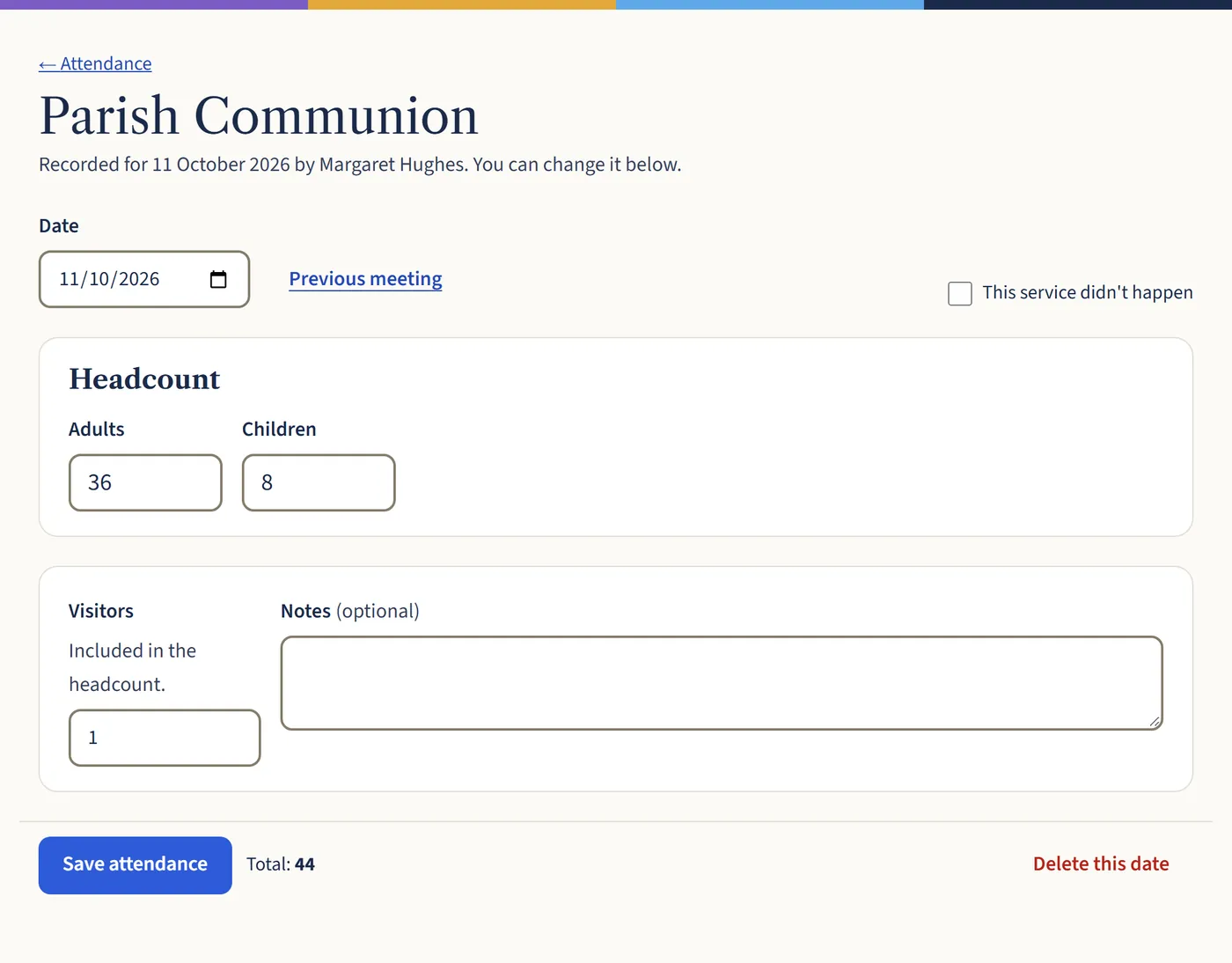
Type the number of adults and children, and how many were visitors. Then choose Save attendance. If the service didn’t happen, tick This service didn’t happen so your averages stay right.
Open a larger view (opens in a new tab)