Looking after more than one church
One login for every parish in a benefice or church in a circuit.
Who can do this: Anyone who belongs to more than one church
Each church keeps its own account, with its own records, Gift Aid and plan, because each is its own charity. You use the same login for all of them.
Step 1: Open Your churches
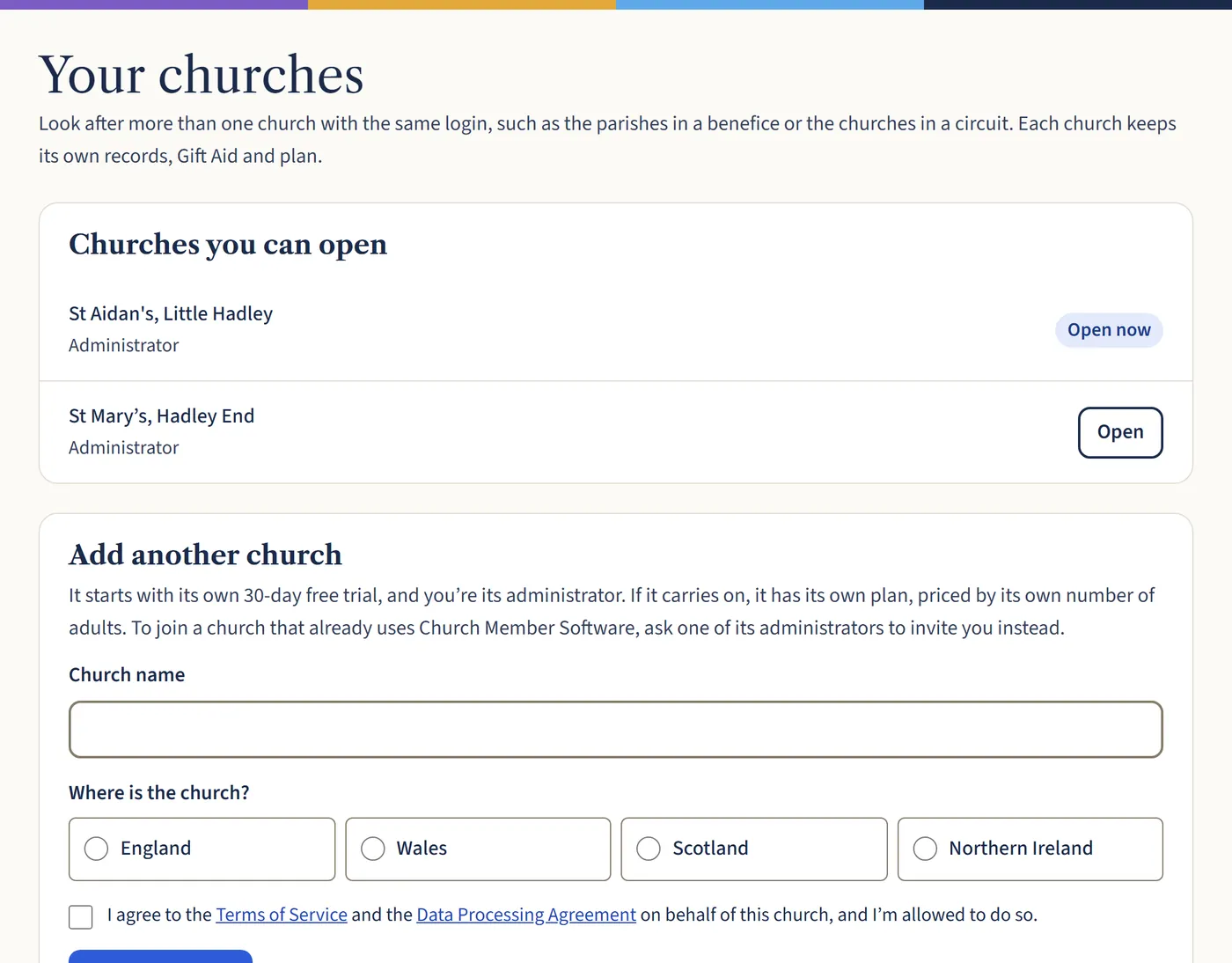
Under your church’s name, at the top of the menu, choose Your churches. It says Switch church once you belong to more than one.
Open a larger view (opens in a new tab) Step 2: Switch church
Choose Open next to the church you want. Everything you see then belongs to that church, until you switch again.
Step 3: Add another church
Under Add another church, type its name, choose where it is and tick to agree to the terms. It starts with its own 30-day free trial, and you’re its administrator.
What happens next
To join a church that already uses Church Member Software, ask one of its administrators to invite you. It’s then added to your list. Each church has its own plan, priced by its own number of adults.